
Reach everything behind your VPNs from one place
quickssh runs every VPN in its own isolated container. Reach servers, remote desktops, files and databases at the same time, without them getting in each other's way and without touching your computer's network.
Supported VPNs
Connection types
Many customers, many VPNs, one window
Built for the days when VPN clients fight each other and tunnel commands are typed by hand.
Isolated VPNs
Each VPN runs in its own Docker container. Several can stay up at once; your computer's routing table and DNS stay as they are.
Built-in terminal
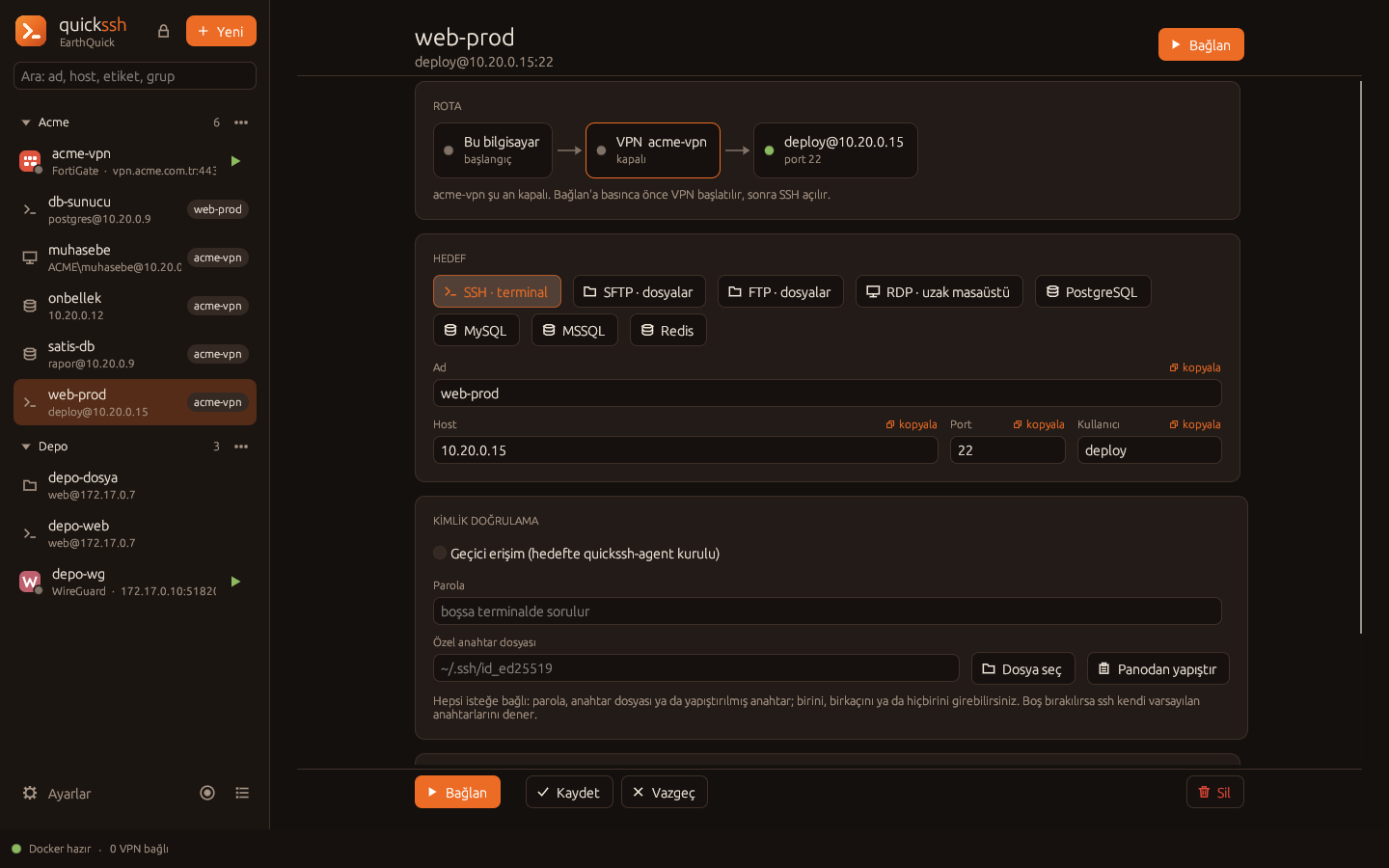
SSH sessions open in tabs. The route (VPNs, jump servers) is stored with the record; you just connect. A server status bar, a file panel and macros come along.
Database ports
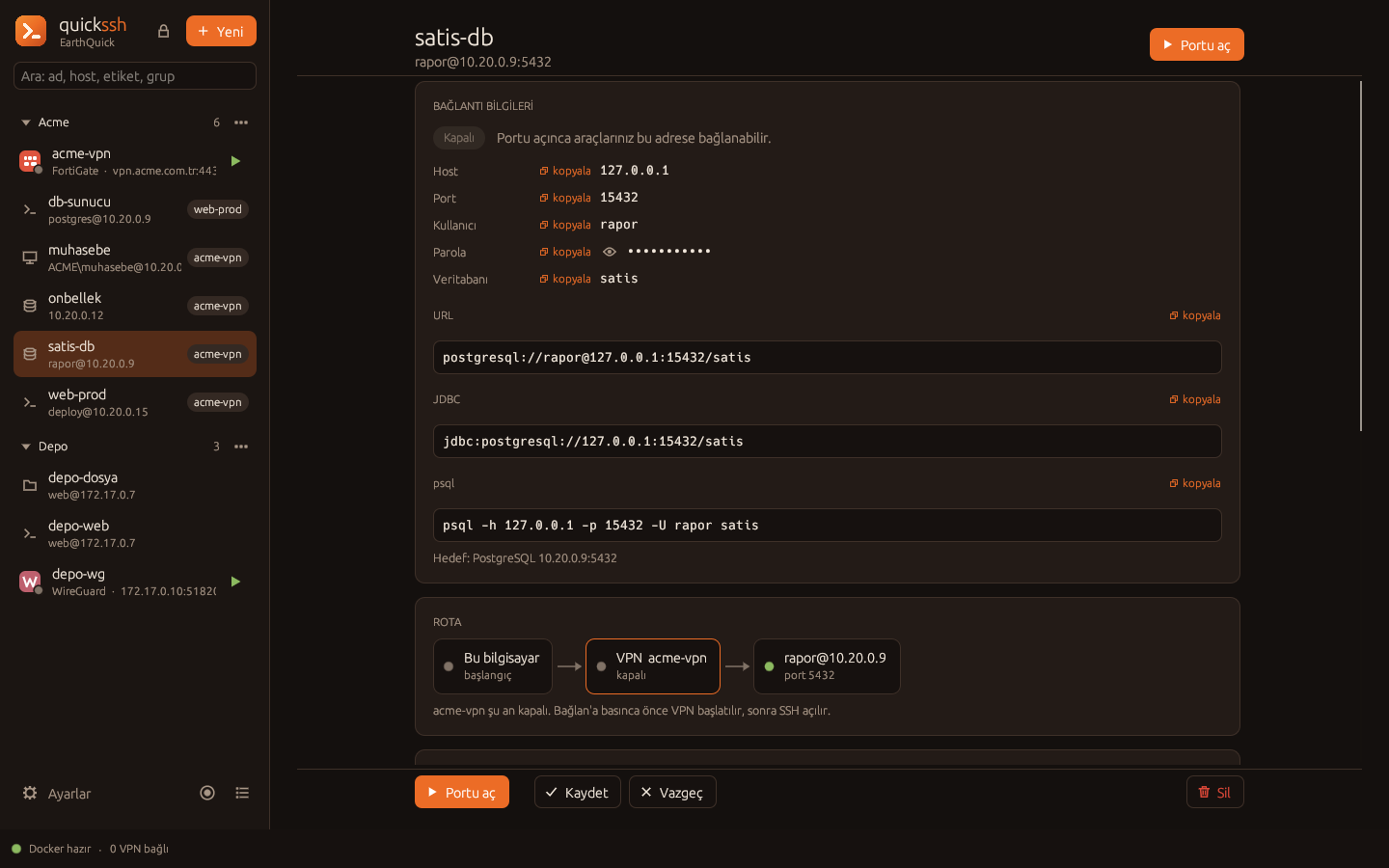
PostgreSQL, MySQL, MSSQL and Redis get a fixed local port. DataGrip or your own app connects as if it were talking to the database directly.
Files
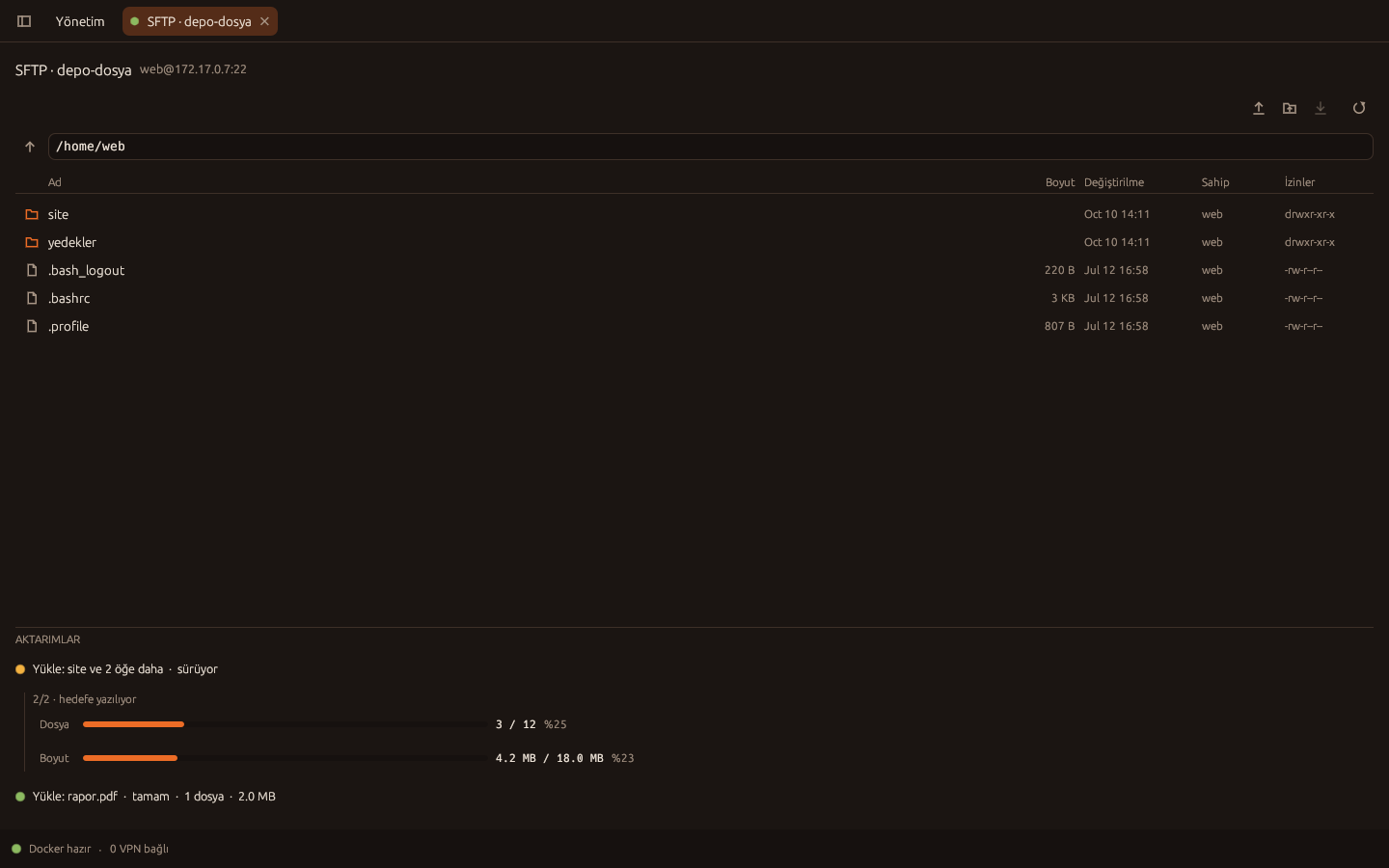
A full-size file manager for SFTP and FTP/FTPS. Drag files and folders onto the window; progress is shown both as file count and size.
Remote desktop
RDP and VNC sessions open inside the app as tabs. The server connects to the target; only the picture reaches your computer, never the password.
Split tunneling
Only the application you choose goes through the VPN: a browser, a command, a tool. The rest of the computer stays on its own network.
Sleeps when idle, wakes on demand
An unused VPN stops by itself. The moment a new connection comes through it, it starts again without you doing anything.
Full command line
Everything the interface does, the command line does too: adding and editing records, connecting, file transfer, backups. It works on headless servers as well.
A central server for teams
Records live on a single server. The admin decides from the panel who can reach what; passwords never land on team members' computers.
Browser extension
Open a website through the VPN or server you choose. For Chrome and Firefox; write the rule once and the site always takes the right path.
Notes
Attach notes and files to a server, a group or keep them general. Notes and their attachments stay on the server; on a central server a note you don't share is visible only to you.
Works without a license
Free up to 20 records and 3 users. A license only raises the limits; even when it expires, your records keep working.
The server does the work, the client only shows it
The server part can run on your own computer or on your team's shared machine. It makes no difference to the client.
Client
The interface and the command line. Runs on Linux; Windows and macOS clients are in the works.
- Terminal, file and desktop tabs
- Record forms
- Never talks to a target directly
quickssh server
Runs on Linux: on this computer or remotely, and can also be installed as a single Docker image.
- Manages the VPN containers
- Connects to targets and authenticates
- Enforces permissions and logs every action
- Stores records and passwords
Targets
The systems behind your VPNs.
- Servers (SSH, SFTP, FTP)
- Desktops (RDP, VNC)
- Databases
Connect, work, keep the files at hand
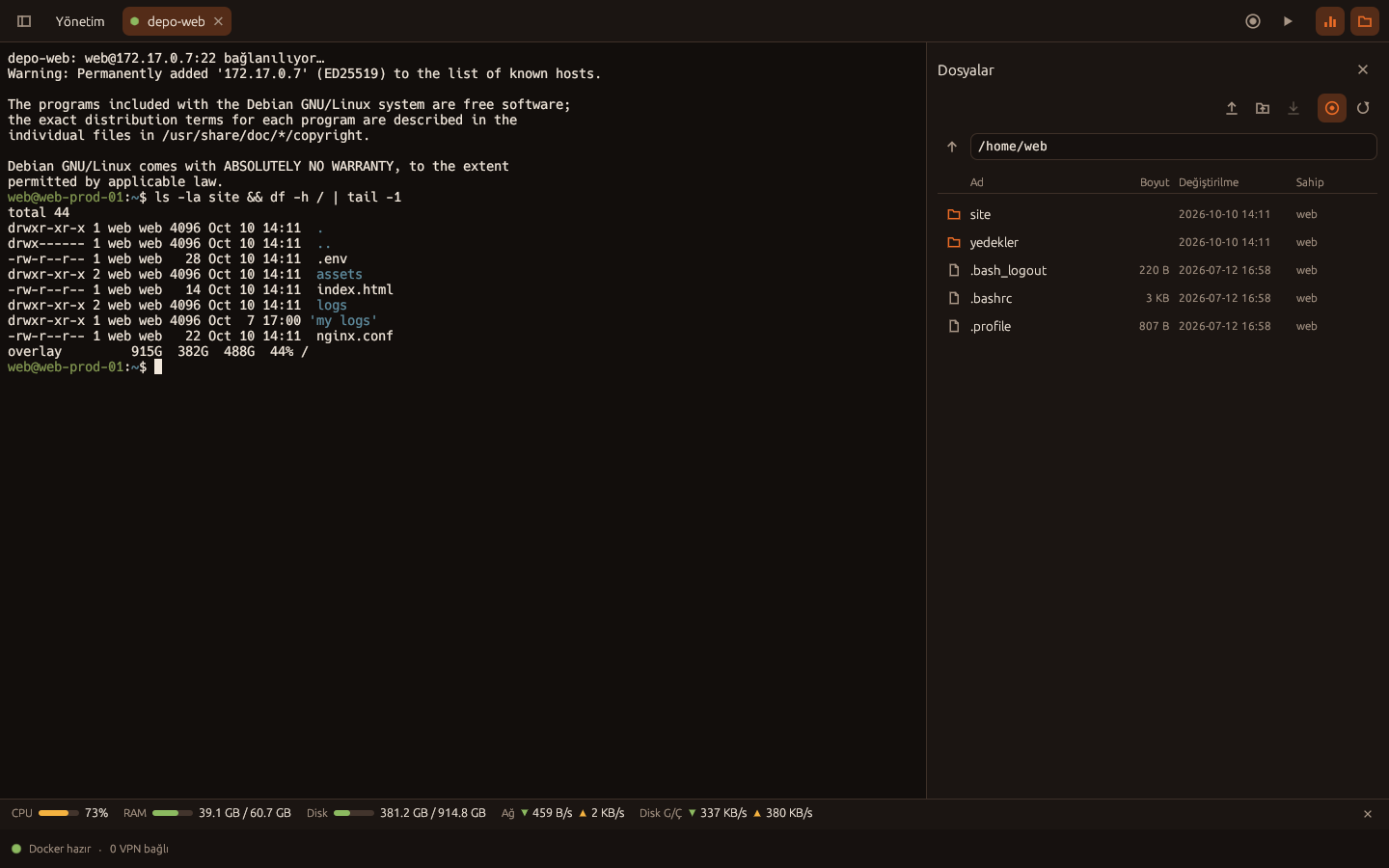
A session opens with one click; if the VPN on its route is down, that starts first. The file panel follows the directory you move to in the terminal.
- CPU, RAM, disk, network and GPU gauges
- Uploads and downloads, folders included
- Macros: record the steps you repeat and play them back
- VPN → VPN → SSH → SSH chains
Don't build a tunnel, copy the address
Define the record once: target, route and a fixed port. Your tools connect to that port on 127.0.0.1; the server takes care of the rest.
- Ready-made URL, JDBC and command-line examples
- A stopped VPN starts by itself on the first connection
- The port is fixed, so you set up your tool once
Open the VPN to your own tools too
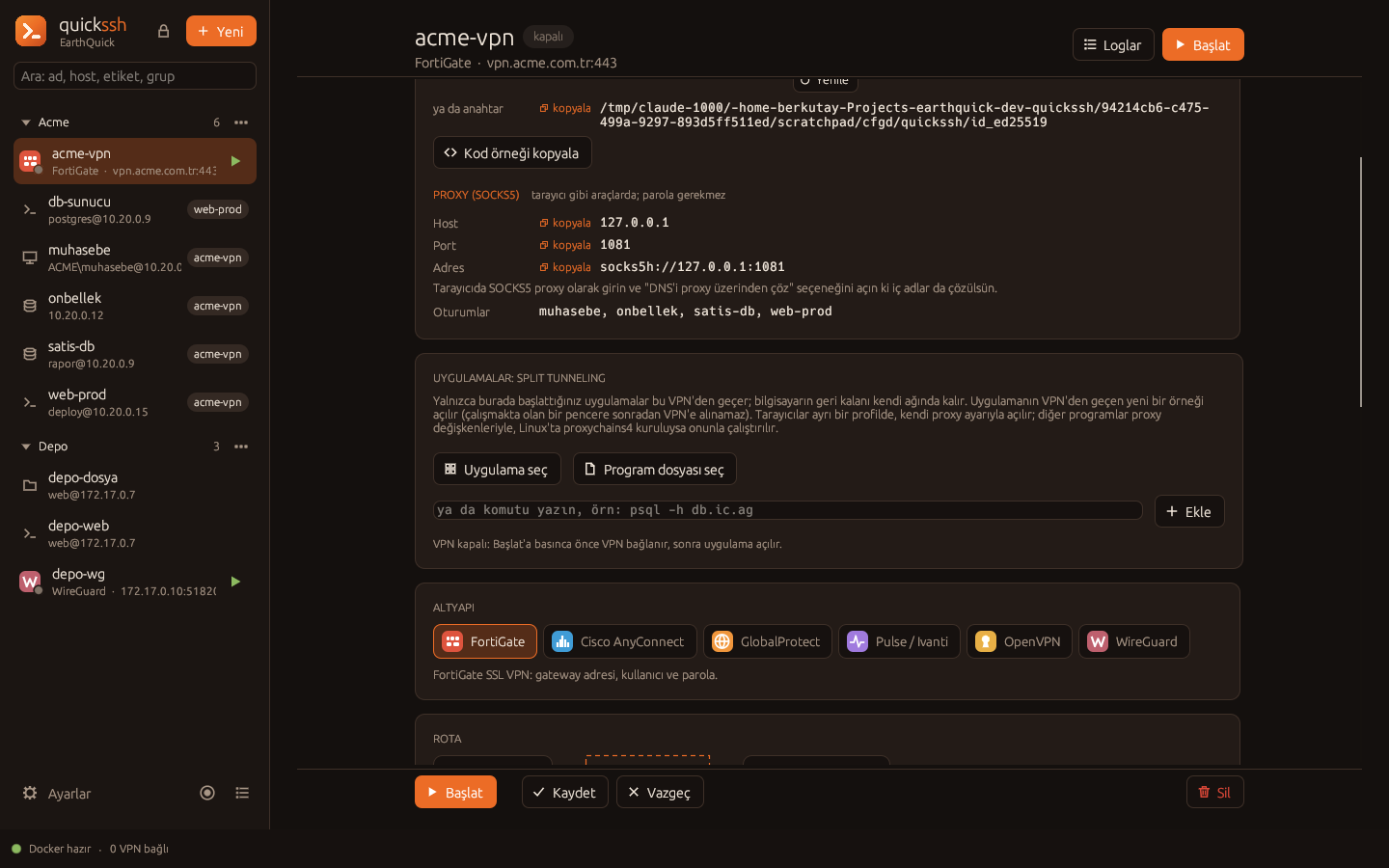
Every VPN offers an SSH tunnel and a SOCKS5 proxy. You can send your browser, your IDE or a single application through that VPN.
- Split tunneling sends the application you pick through the VPN
- Ready-made code samples for Java and C#
- On a remote server, ports open only to your IP address
SFTP and FTP in the same window
File sessions open as a full-size file manager. An upload is tracked as a single transfer.
- Upload files and folders by drag and drop
- Separate progress for file count and size
- FTPS (TLS) and connections through a VPN
Passwords stay where they belong
quickssh was designed to keep access credentials from spreading.
Encrypted records
Storing records on your own computer requires a master password. The record file is encrypted with Argon2id and XChaCha20-Poly1305; even if the file is stolen, it can't be opened without the password.
Secrets never leave the server
On a central server, the server connects to the targets. A team member uses the connection but never sees the password; the admin reveals it only to the people they allow.
Permissions, OTP and audit
Access is granted per record or per group. The client can be locked with a one-time code (TOTP). Every connection, transfer and change is logged under the user's name.
Temporary access
With a small agent installed on the target, each connection gets its own key, which is deleted when the connection closes. No permanent login stays on the target.
Get started with a few commands
All you need is Docker. Run the server on your own computer or as a single container.
# a VPN and a server behind it
$ quickssh add acme --kind fortigate --host vpn.acme.com -u alice
$ quickssh add-ssh web --host 10.20.0.15 -u deploy --vpn acme
$ quickssh connect web   # if the VPN is down, it starts first